How did you change the color of the transparency in Xray mode?

Forum Archive How did you change the color of the transparency in Xray mode?

Viewing 3 posts - 1 through 3 (of 3 total)
  • Author
    Posts
  • #12689
    chrisjpatty
    Participant

      Like yours, my modeling sheet has a white background, so the white faces of transparency mode blend right in. In your video you’ve somehow inverted that color so you can see it, but after googling around I still can’t figure out how to do that.

      #60205
      spikeyxxx
      Participant

        Hi Chris, what version of Blender are you using?

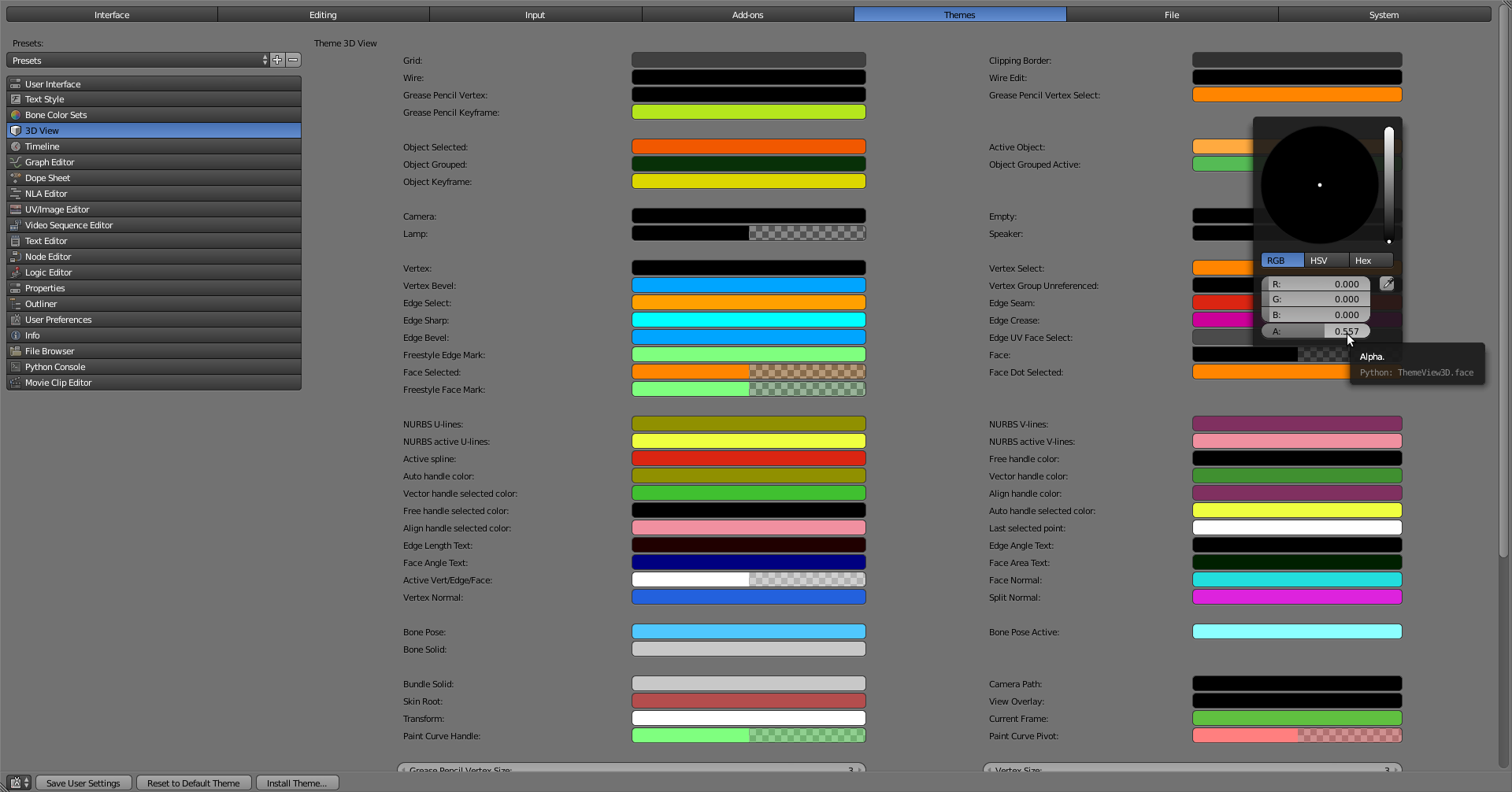
        If it’s pre-2.8, you can go to File > User Preferences:

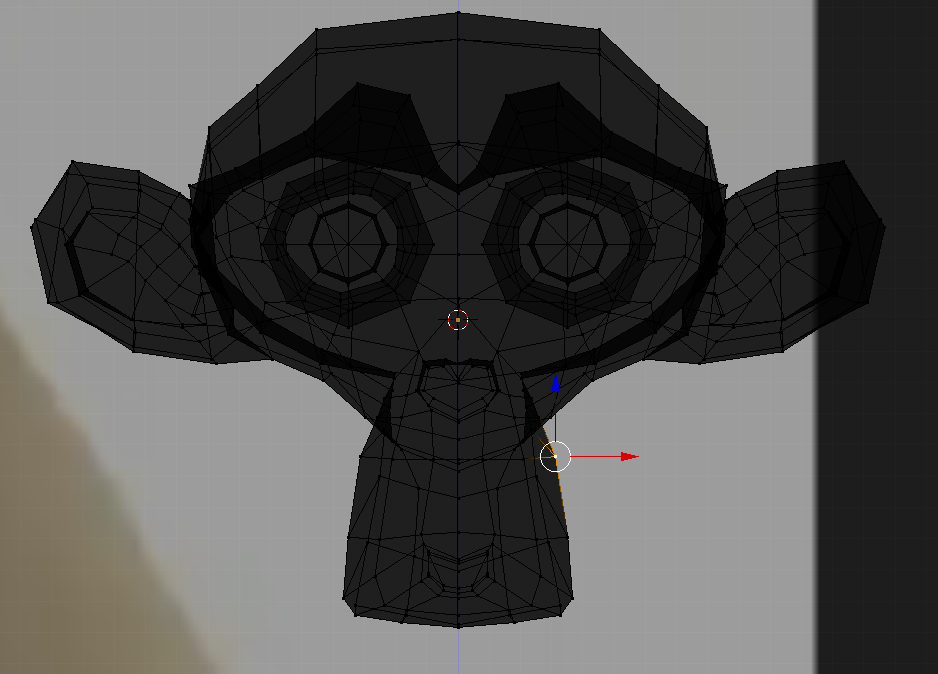
        and increase the Alpha like in above screenshot (by default it’s almost 0). This will have this effect:

        You can even change the color if you want.

        Mind you, this is the color for unselected Faces. Slightly below in the left column there is a Face Selected that is still transparant orange, but you can change that also.

        Mind you, I think Jonathan Williamson has a special Theme installed.

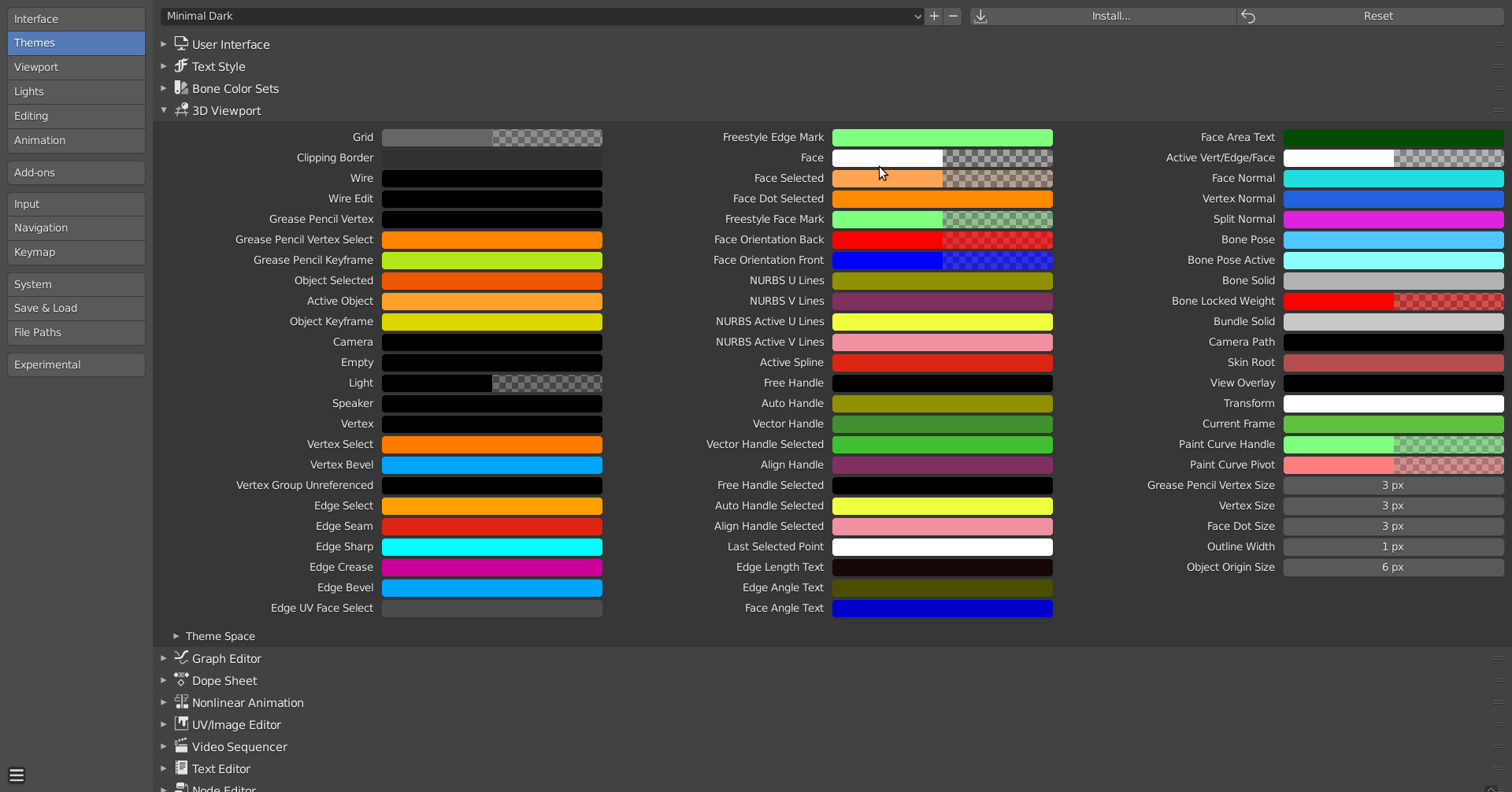
        In 2.8+ 

        You can also use Minimal Dark as Theme, that has darker Faces, but it’s good to know where to change it, in case you have other-colored Background Images.

        #60206
        chrisjpatty
        Participant

          Awesome, that’s just what I was looking for, thanks!

        Viewing 3 posts - 1 through 3 (of 3 total)
        • The topic ‘How did you change the color of the transparency in Xray mode?’ is closed to new replies.