When making the start of the platform, it’s extruding on X, Y, and Z instead of just X and Y

Forum Archive When making the start of the platform, it’s extruding on X, Y, and Z instead of just X and Y

Viewing 6 posts - 1 through 6 (of 6 total)
  • Author
    Posts
  • #12501
    Leigh Ellison
    Participant

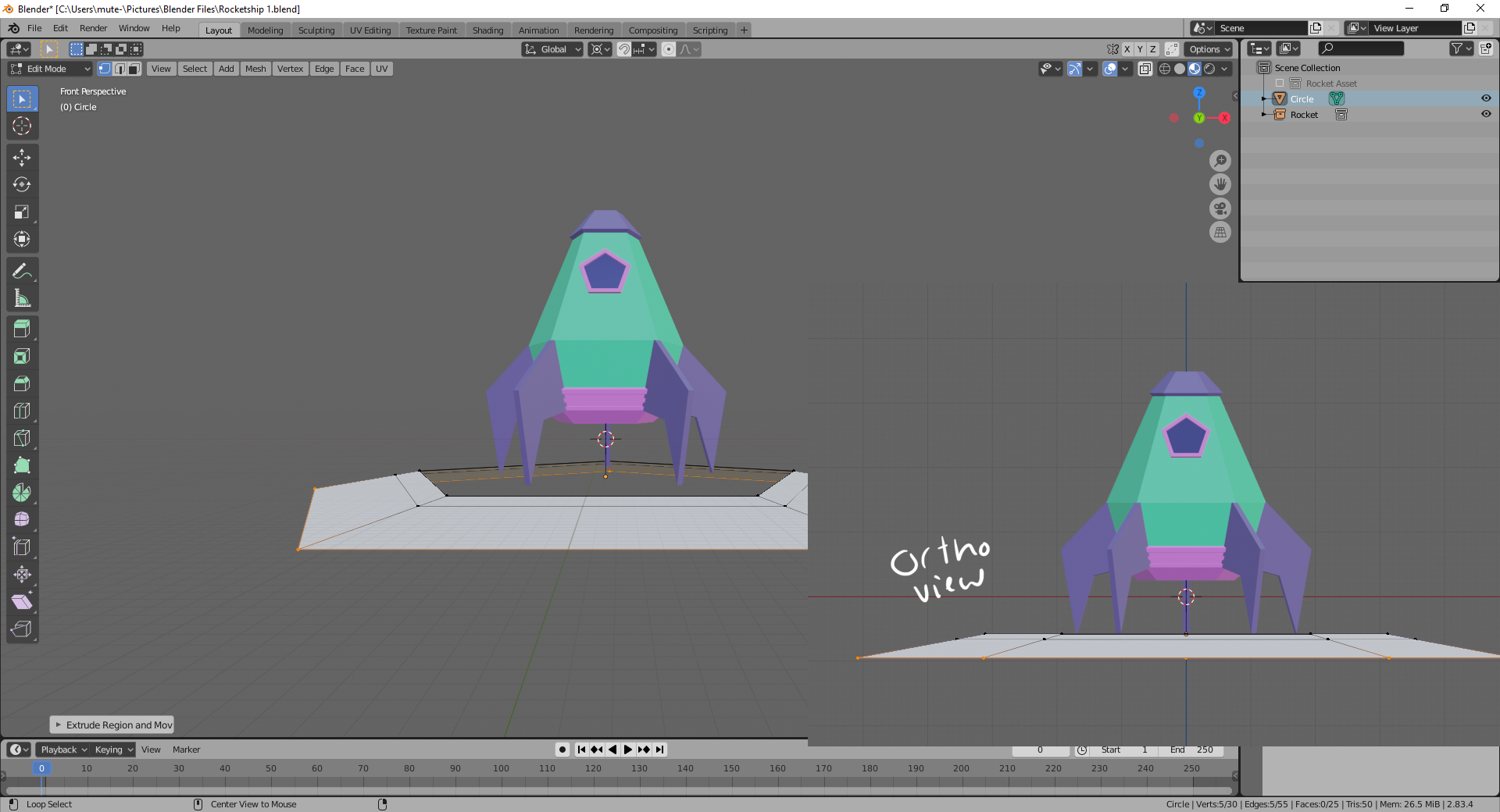
      For some reason when I extrude the pentagon, it also extrudes on the Z axis and not just on the X and Y axis.  Can’t figure out what I’m doing that’s different from the video.  Doing E +S and dragging and it’s just changing Z height on it’s own.

      #59339
      Leigh Ellison
      Participant

        Doing a temporary fix and just moving them back to the correct plane by hand, but it would be good to know why it was doing it in the first place!

        #59340
        Josh Canfield
        Participant

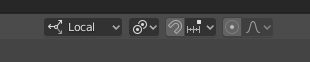
          I think I can reproduce your issue if I change the Transform Pivot Point to “3D Cursor”,3D Cursor

          I believe  you want it to be “Individual Origins”Individual Origins

          #59341
          silentheart00
          Participant

            If you want to make absolutely sure it’s scaling in the axes you want, you can constrain it by Shift + the axis you do not want to scale in, e.g. if I want to scale in XY and not Z, I would press S and then Shift + Z.  It also works for the other transforms, too.

            #59342
            Leigh Ellison
            Participant

              This was the issue, thank you!

              #59343
              Leigh Ellison
              Participant

                Very valuable to know, thank you!

              Viewing 6 posts - 1 through 6 (of 6 total)
              • The topic ‘When making the start of the platform, it’s extruding on X, Y, and Z instead of just X and Y’ is closed to new replies.