What did you do when you selected the part that connects the axe head and the handle?

Forum Archive What did you do when you selected the part that connects the axe head and the handle?

Viewing 5 posts - 1 through 5 (of 5 total)
  • Author
    Posts
  • #11894
    Jonathan Nunez
    Participant

      trying to follow the video since I’m new to blender, I noticed you did a process during the fast motion video before starting with part that connects the axe and the handle. I tried painting it with gradient but it colors the handle as well because it’s “linked” with each other.

      #56305
      Jonathan Lampel
      Participant

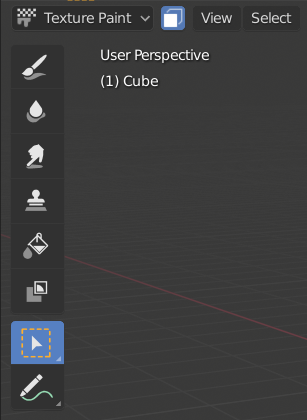
        Hi, I used the face selection masking as shown at about 6:10 and again at 10:35. 

        If you happen to be using 2.8, you can do this by turning on Paint Mask in the header and using the box select tool. 

        Hope that helps! 

        #56306
        Jonathan Nunez
        Participant

          did you use a tablet like wacom or bamboo for this? I noticed that texture painting is not easy using a mouse 🙁  

          #56307
          Mark Smith
          Participant

            most things art oriented are not easy with a mouse although some stand by the idea that it can be done…

            I can draw fairly well and so I find a tablet or a cintiq or such to be quite advantageous…

            #56308
            Jonathan Lampel
            Participant

              I did indeed use a Wacom tablet. It certainly helps! 

            Viewing 5 posts - 1 through 5 (of 5 total)
            • The topic ‘What did you do when you selected the part that connects the axe head and the handle?’ is closed to new replies.