Why is my mantaflow liquid acting like it’s falling on a flat surface when it’s not

Forum Archive Why is my mantaflow liquid acting like it’s falling on a flat surface when it’s not

Viewing 9 posts - 1 through 9 (of 9 total)
  • Author
    Posts
  • #11842
    jesse94
    Participant

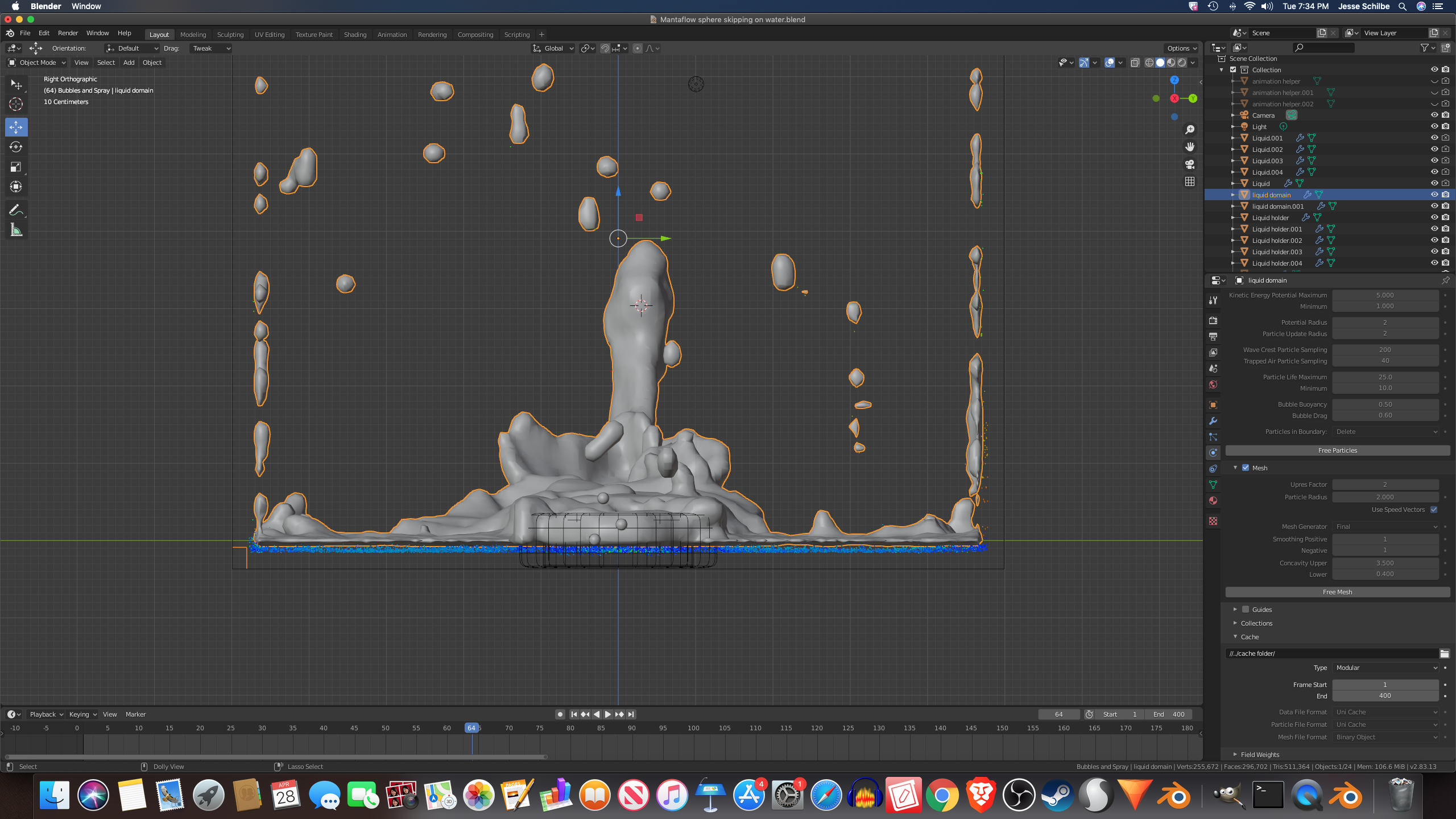
      Why is my mantaflow liquid acting like it’s falling on a flat surface even if it’s not touching the bottom of the domain yet. I want the liquid to get to drip down the effectors and spread on the bottom of the domain but it’s not doing that can someone explain to me whats going on. 

      #56147
      spikeyxxx
      Participant

        Hi jesse, the Scale  your resolution is too low. Always scale your Domain in Object Mode and then Apply the Scale (that will ensure the the voxels used for the resolution are cubes and not ‘stretched, like in you case; see bottom left in the Domain),

        And the set your resolution so high that the voxel size is small enough for your liking. (Notice how the distance from the liquid to the walls is exactly one voxel…)

        (I know! Physics Simulations can be sooo frustrating; you have too get everything right, but after doing it enough, it will become second nature and the results can be quite spectacular!)

        #56148
        jesse94
        Participant

          is one of the things your telling me to do is increase the resolution division? if you are I can’t do that because my computer will crash before I had it set to 300 and my computer will crash when I bake the particles so I set the resolution division 100 and everything was fine after that. I even tried to sit it 200  but I can’t go any higher then 100. Maybe I can better understand if the just give you my blend file so here.  https://drive.google.com/drive/folders/1x8VcTQnKBP_X1zcUpJ7HWMZReMaYNq4E?usp=sharing I can’t upload my cache folder because my storage is full.

          #56149
          spikeyxxx
          Participant

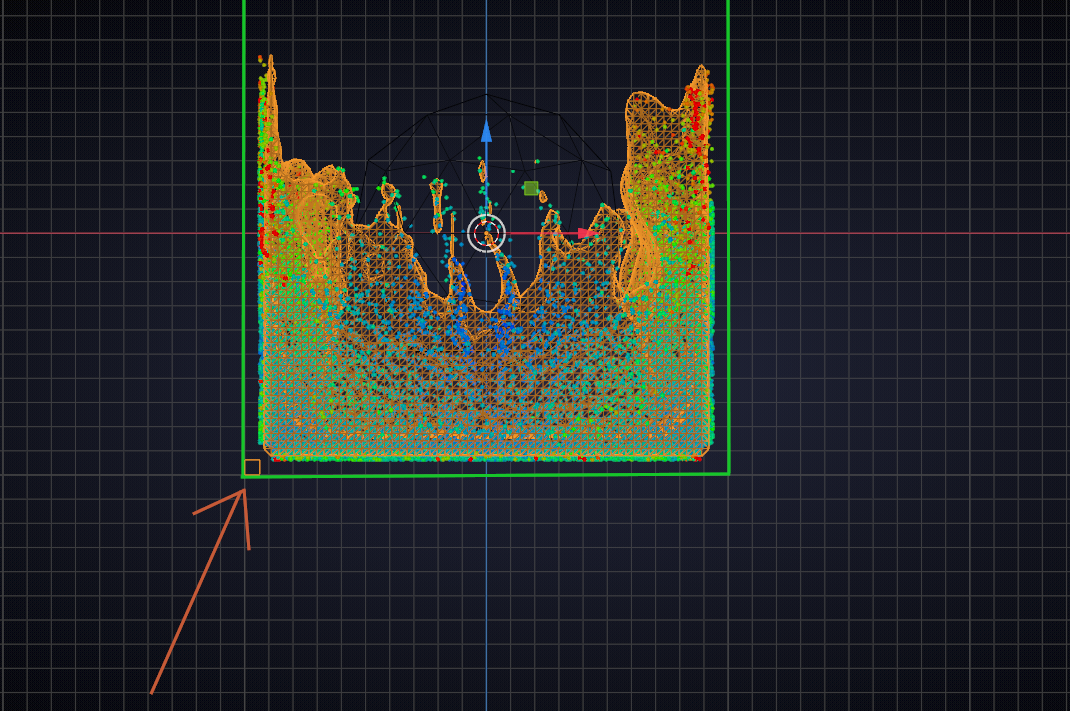
            Sorry this took me so long, but apparently it is normal to have a gap between the liquid and the Domain; here is a picture from the Blender Manual where you can clearly see the gap:

            Look at the little squares (bottom left of each fluid). They are at the corner of the Domains and show the size of each ‘cell’/voxel.

            So: increase the size of your Domain, until it fits. Or move the floor up a bit until it touches the water…(I don’t think you care about the sides…)

            BTW: applying the scale of your Domain will make the voxel size smaller, maybe your computer can handle that…

            #56150
            jesse94
            Participant

              if my computer still crashes will help if I also apply the location or will that mess up the  simulation

              #56151
              jesse94
              Participant

                and I still don’t understand the last reply you made even looking at the image.

                #56152
                spikeyxxx
                Participant

                  Applying Location won’t help against crashes.

                  Might be a Memory issue; one frame takes up around 100 Mb, which means about 40 Gb with 400 frames, although that is hard-drive memory, not RAM.

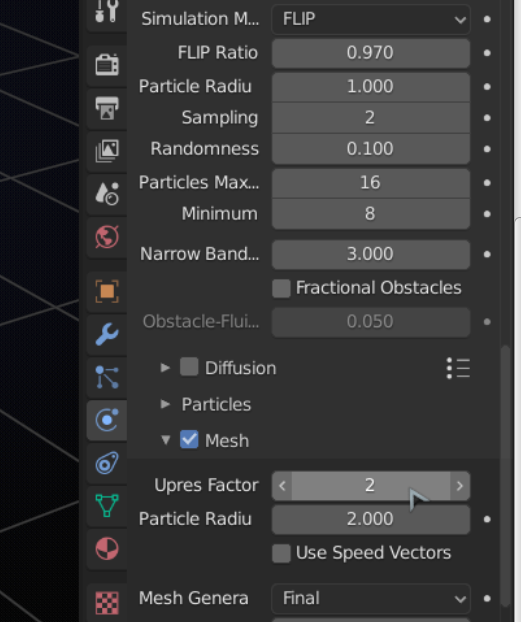
                  Try a resolution that wont crash your computer and then increase the Upres factor:

                  #56153
                  spikeyxxx
                  Participant

                    Domain in green, look at the orange square:

                    The distance from the liquid to the domain is ‘normal’.

                    #56154
                    jesse94
                    Participant

                      never mind I think I figured it out but if come acrossd a other problem I will replay to you  

                    Viewing 9 posts - 1 through 9 (of 9 total)
                    • The topic ‘Why is my mantaflow liquid acting like it’s falling on a flat surface when it’s not’ is closed to new replies.