
Snake hook brush trouble : Mesh stretching out

Forum Archive Snake hook brush trouble : Mesh stretching out

Viewing 4 posts - 1 through 4 (of 4 total)
  • Author
    Posts
  • #11480
    Bhavesh Patel
    Participant

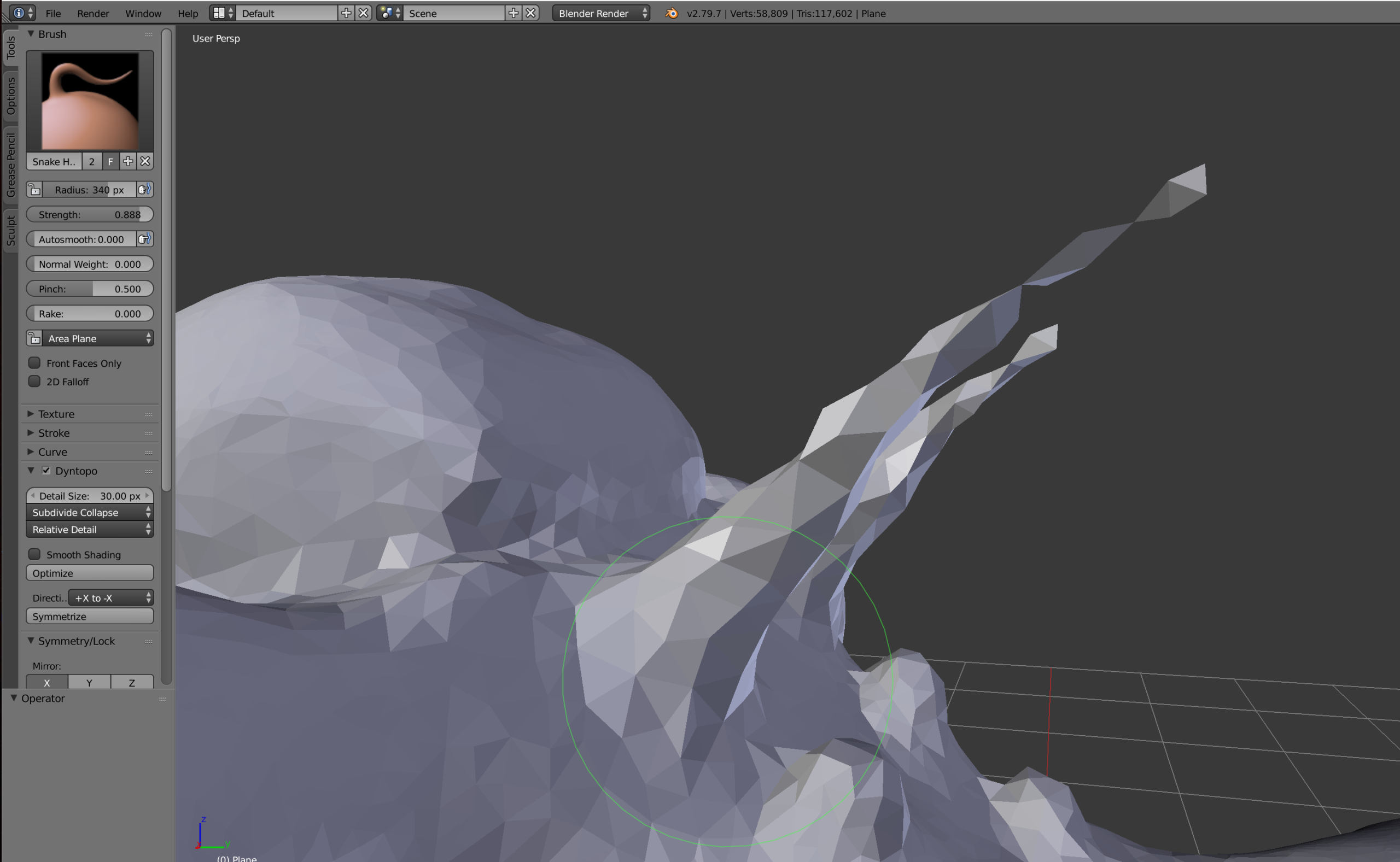
      While stretching the breathing tube in this creature. Even though I used “Subdivide Collapse” my mesh does not stretch to the full length. I am lacking the geometry half way.  

      #53563
      Kent Trammell
      Participant

        You need a smaller detail size. I’m pretty sure the devs changed the detail size function after I recorded course. I used to start at 30px –> 20px –> 10px if I remember correctly. Then I shifted to 10px –> 7px –> 5px.

        Sorry I know that’s confusing.

        #53564
        Bhavesh Patel
        Participant

          No no that’s not confusing. I also recognizing while following you in this tutorial that there was different detail size on the object what I was getting. As well, some how I figure out with same detail size as you had working with Snake hook brush. Only thing i changed that I pull the geometry in multiple stroke instead of single stroke as you did in the tutorial. And it worked.

          Thanks a lot Kent for quick reply! I am enjoying and learning a lot in your tutorial! You are such an amazing teacher.

          #53565
          Kent Trammell
          Participant

            I’m so glad to hear you’re enjoying the tutorial! I remember seeing you in the stream yesterday and adding quiz XP points to your account. Thanks for hanging out with us 🙂

          Viewing 4 posts - 1 through 4 (of 4 total)
          • The topic ‘Snake hook brush trouble : Mesh stretching out’ is closed to new replies.