Bridging the edge loops connect the different vertices and gives weird shape

Forum Archive Bridging the edge loops connect the different vertices and gives weird shape

Viewing 4 posts - 1 through 4 (of 4 total)
  • Author
    Posts
  • #10831
    Bhavesh Patel
    Participant

      Hi, 

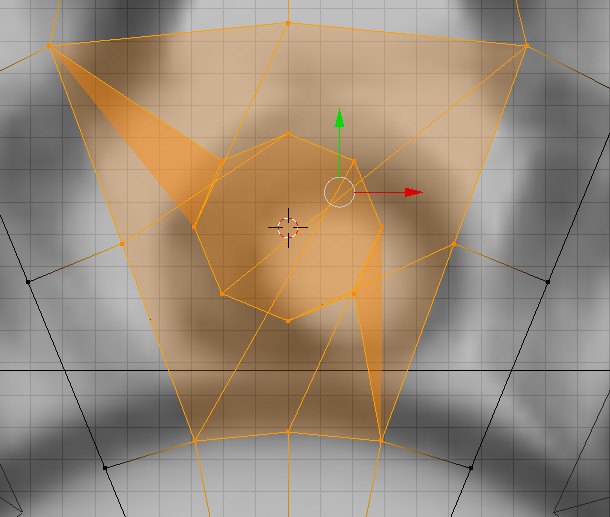
      When I try to bridge the edge loop,  instead of connecting nearest vertices,  vertices with little bit more offset are connected. I have also tried to play with twist function from the menu but it does not connect correctly.  Only way to connect the edge loop remains is manually now. But I want to know how to solve this thing? Am I missing anything here. 

      #51324
      spikeyxxx
      Participant

        @ryzen7 Hi.

        This is happening, because the order of the vertices of the two edge loops is not consistent; one is going clockwise and the other anti-clockwise.

        You could, before connecting them, rotate the inner edge loop 180° around the Y-axis. That should fix it.

        Alternatively, enable the Loop Tools Addon (highly recommended!). 

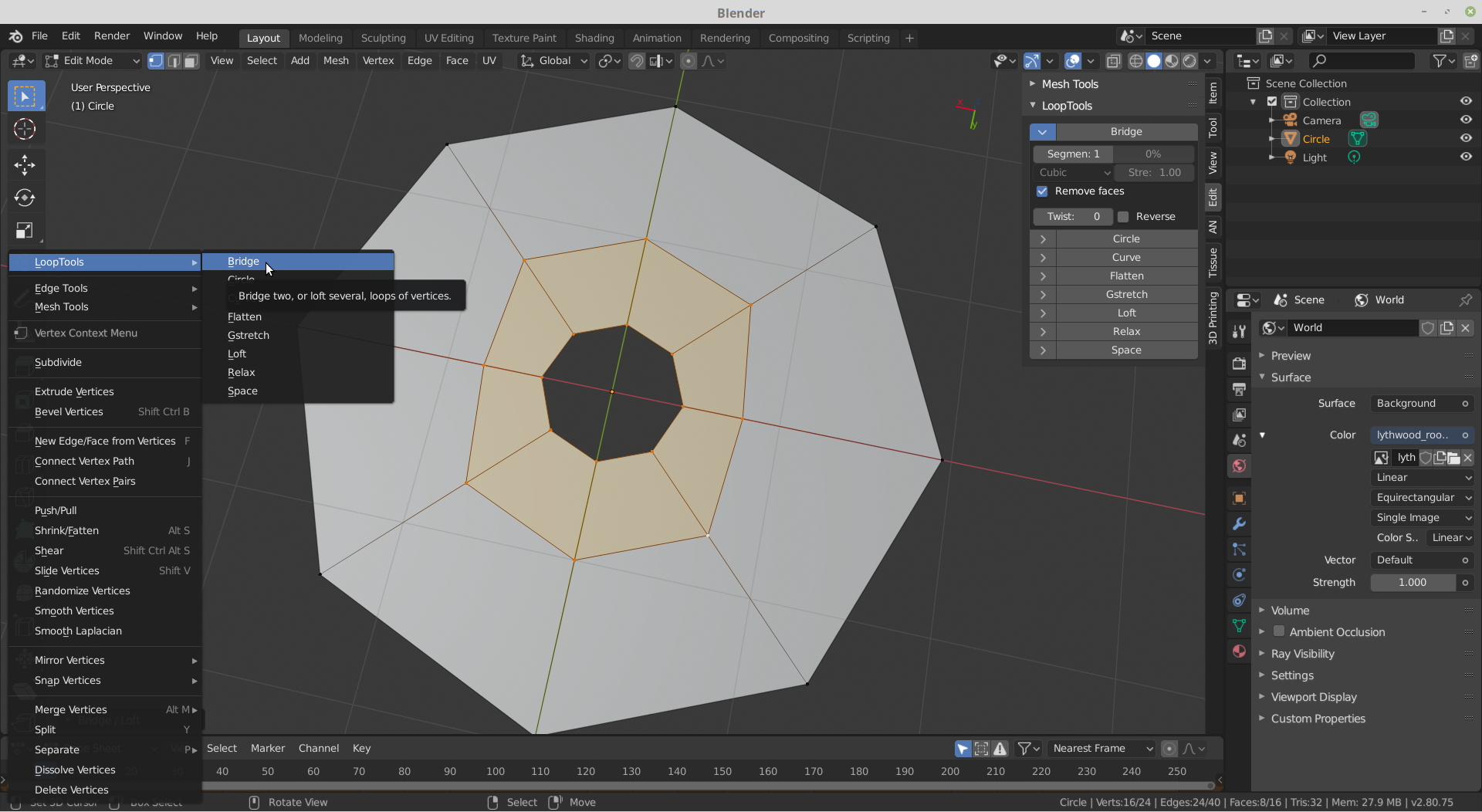
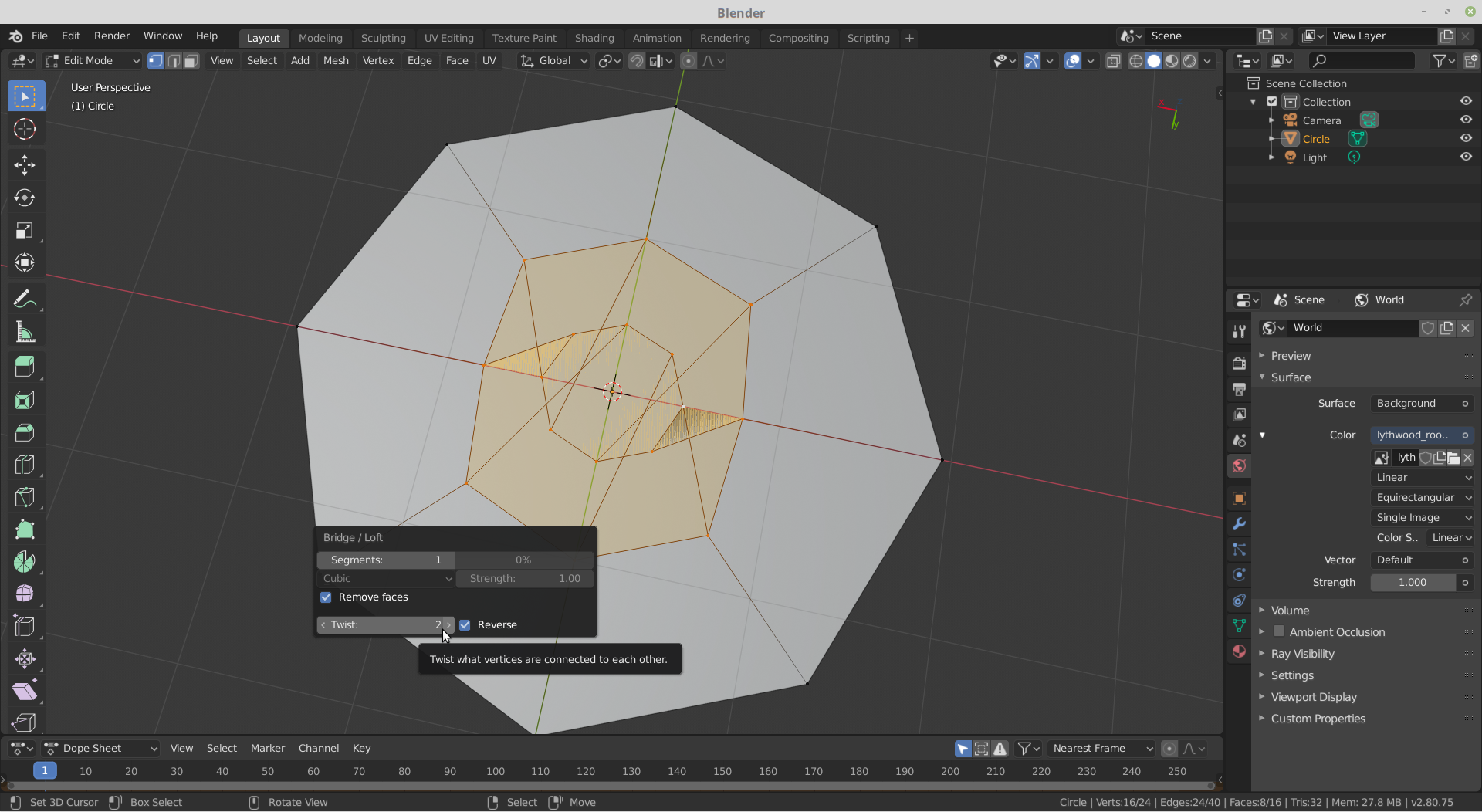
        Then if you go into the Context Menu, or look in the N-Panel under Edit you can Bridge from there, which not only gives you the Twist option, but also a Reverse checkbox.

        With F9 (F6 if you are still using Blender 2.79 or earlier), you can change those:

        #51325
        Bhavesh Patel
        Participant

          Thank you very much for such a detail answer. Yes I am still using 2,79 as I am still following tutorials.

          #51326
          spikeyxxx
          Participant

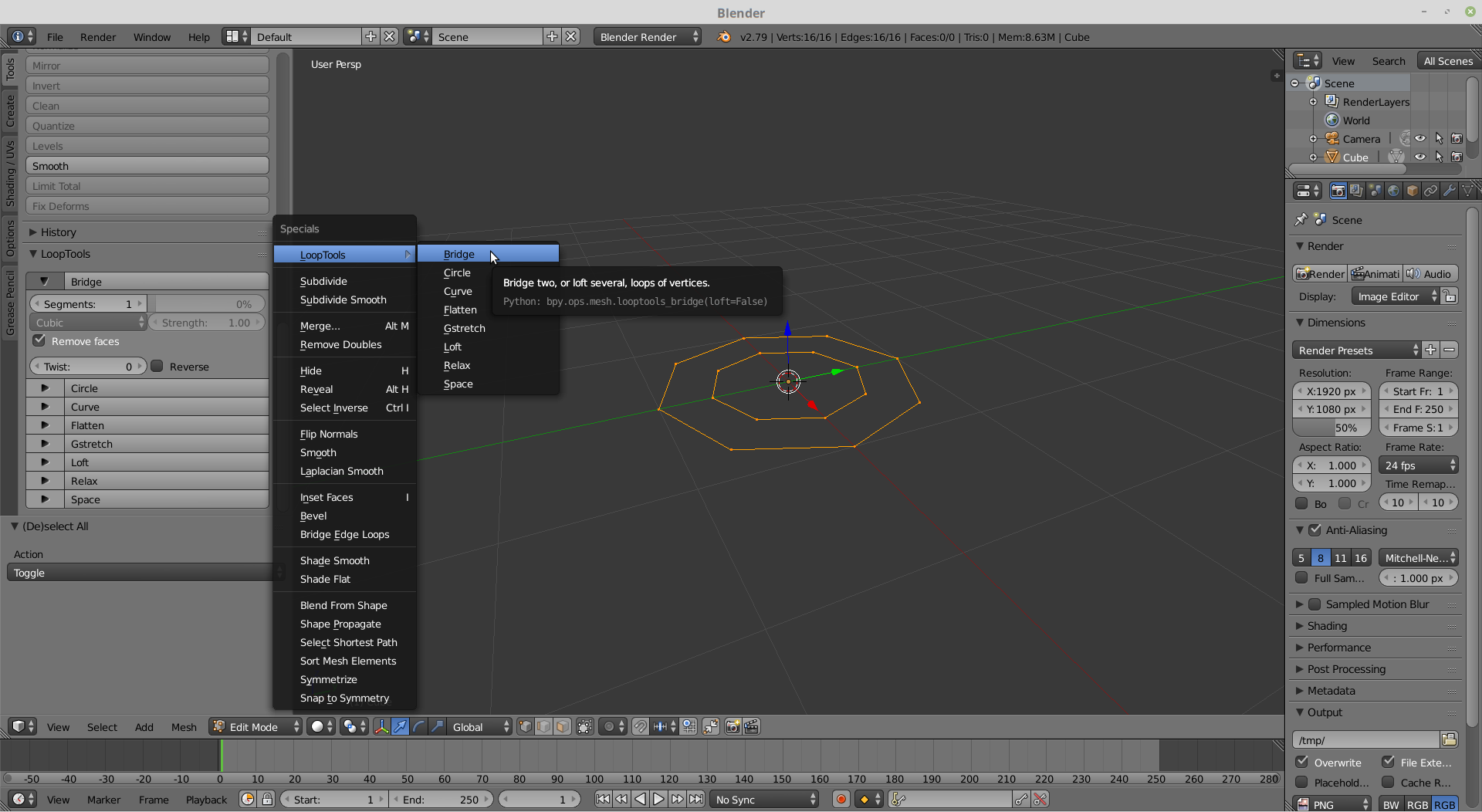
            @ryzen7 In 2.79 you can find Loop  Tools in the Specials Menu (W) or in the Tool Panel:

          Viewing 4 posts - 1 through 4 (of 4 total)
          • The topic ‘Bridging the edge loops connect the different vertices and gives weird shape’ is closed to new replies.