
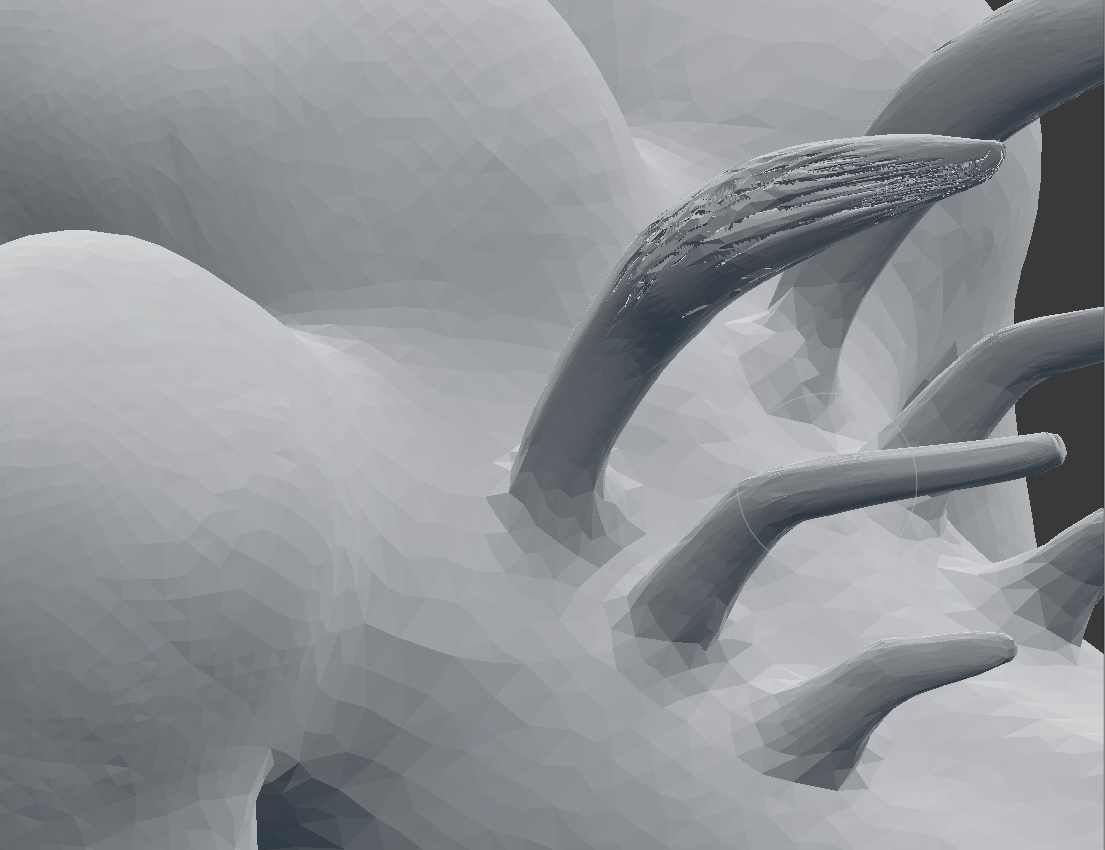
Why does the mesh stretch out and get sort of vacant spaces after using snake hook brush?

Forum Archive Why does the mesh stretch out and get sort of vacant spaces after using snake hook brush?

Viewing 4 posts - 1 through 4 (of 4 total)
  • Author
    Posts
  • #10659
    bishop3101
    Participant

      #50691
      spikeyxxx
      Participant

        Could it be that in Dynamic Topology, you Detail Refine Method is set to Subdivide Edges?

        If so, change that to Subdivide Collapse.

        #50692
        bishop3101
        Participant

          Oh Right!

           It works fine now. Thanks a lot! 

          However, can you spare a few minutes to explain what subdivide collapse is doing different from Subdivide edges ?

          #50693
          spikeyxxx
          Participant

            Actually, I can’t, because I don’t really understand it;)

            There are three modes as you can see, Subdivide edges, which subdivides long edges to make new geometry.

            Collapse edges which collapses short edges if they get shorter than the resolution you have set in Dyntopo.

            And Subdivide Collapse, which does both.

            I usually leave it at Subdivide Collapse, unless with creasing…

            Kent explains this better than I can, if you continue watching;)

          Viewing 4 posts - 1 through 4 (of 4 total)
          • The topic ‘Why does the mesh stretch out and get sort of vacant spaces after using snake hook brush?’ is closed to new replies.