
animation problem
Forum Archive › animation problem
- This topic has 13 replies, 2 voices, and was last updated 7 years, 7 months ago by
Phil Osterbauer.
-
AuthorPosts
-
January 16, 2019 at 3:05 pm #10215
hey guys . somehow i did someting that caused a problem. at first i didnt noticed it untill i went animating the bounce of the beach ball but somehow i managed to work my way around that . but when i wanted to do the other balls (the bowling ball) i noticed if i want to add another key somehow my whole ball moves . i dont know what went wrong but i am unable to figure this out .
it might be most easy if you guys could take a look at the file i guess so here is the file .complex multi drop
i really hope it can be fixed and hope i learn from this mistake .January 17, 2019 at 9:54 am #45022@smurfmier1985 do you perhaps what I did wrong?
January 17, 2019 at 9:56 am #45023The contact keyframe on the zlocation seems to be set to Bezier interpolation and Aligned handle type. So when you look at the handles, the left one is pointing up toward the parabola, which is good. The handle on the right is pointing down. For now its fine but as as soon as you place a new key frame the Bezier curve is going to cause an overshoot in order to connect between the keyframes. Which is what you’re seeing. An easy fix to this would be to press “v” and change the handle type to “free”. This way you’ll have control over how it eases in and out.
Another fix would be to set the handle type to automatic, you could then scale the handles in when you need a sharp curve.
January 17, 2019 at 11:46 am #45024@phoenix4690
it still is not working . this is the main problem the total position is changing when i add a new keyframe . (or i need to first add the keyframe in the same spot and then adjust it so the ball move to the position but that aint really easy .
this are a few pictures to show what i mean .
this is what i did at the start (before i place a new keyframe . )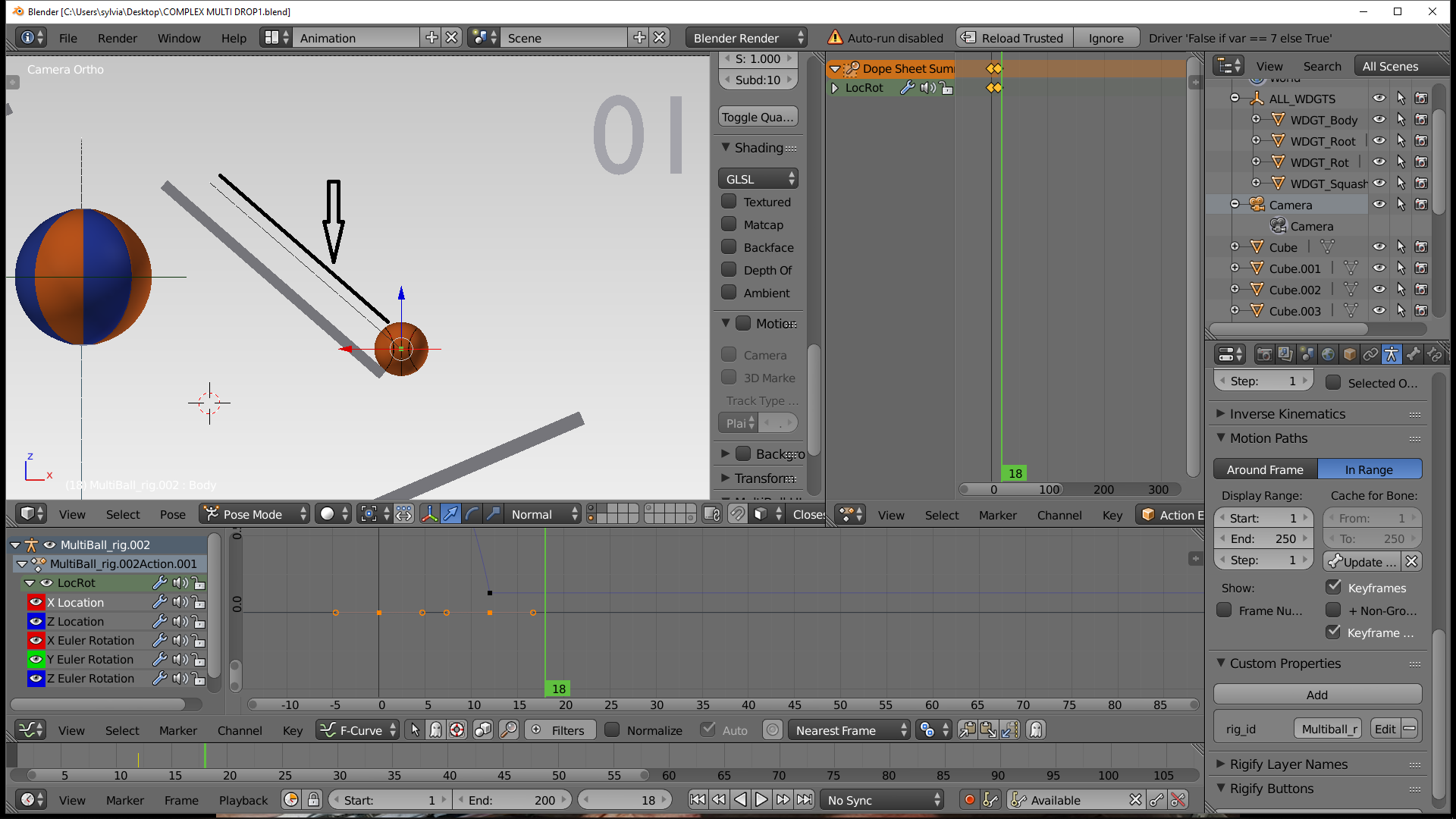
and once i put it at the new place the line is placed at a diffrent spot .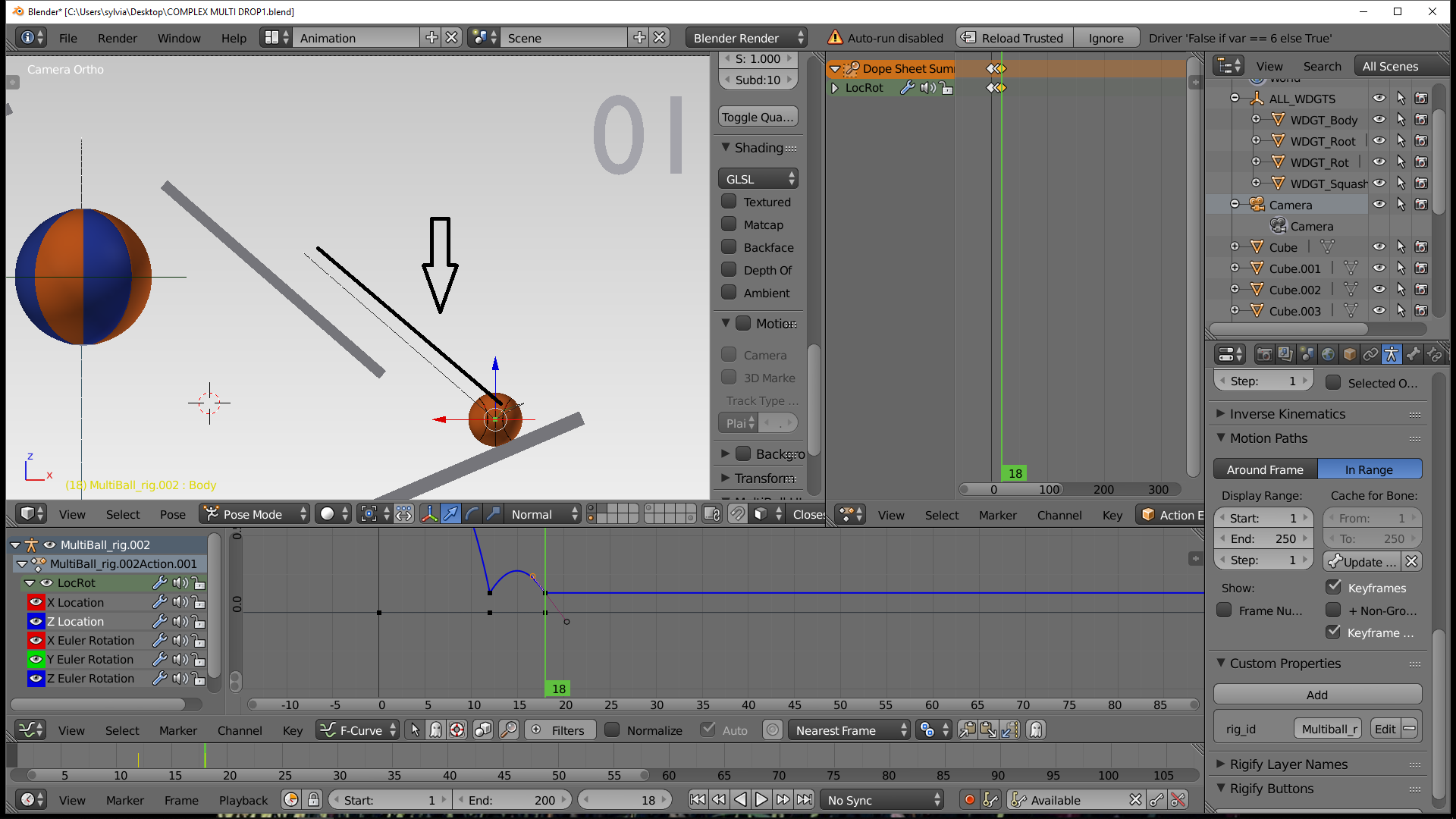
i really have no idea what i did wrong but i hope somehow this could be fixed . its not like i am that far but i still keep hoping it can be fixed and i dont need to restart from 0 .
i tryed to adjust the handel from free to automatic and vector but that is not solving the problem .
the reason its a basket ball and not the bowlingball is because i did not pushed reload trusted .January 17, 2019 at 2:00 pm #45025@yukinoh1989 OH look at that! You’re animating the root controller at the bottom of the platform. This makes much more sense. You’ll want to keep this controller static like you do for the other balls. Then start using the body control to do the main ball animation .
January 17, 2019 at 2:08 pm #45026@phoenix4690 thats indeed what i tought too at first but that is not the case . i do change the ball when selecting the body bone (or rig ) the root controller is indeed off in place (somehow i messed this up from the start) but that is staying at the same position .
January 17, 2019 at 2:13 pm #45027@yukinoh1989 hmm so you’ve removed the animation on the root bone and are now keeping it in one place. So you should have a ball that is not moving at all. You will need to turn off your keyset because its looking for “available” key frames because the body does not have animation on it yet. From there you should be in a place where you can start animating with that body control. You’r saying that is not working?
January 17, 2019 at 2:21 pm #45028@phoenix4690 https://drive.google.com/file/d/1hhHZHTodJvglRQTB7ZOtQlW5E9fJrwpL/view?usp=sharing
I updated your blend file. Give it a shot and let me know if this is working the way you need it.
EDIT: I apologize i just upload the original one haha, should be updated now.
January 17, 2019 at 2:22 pm #45029@phoenix4690
indeed somehow i dont know how this happend . the root is moving along with the bowlingball . the other balls dont have this . is there a way to switch the keyframes i have delete them first and then replace again at the body of the bowlingball ? somehow i guess i maybe made a mistake in the beginning . still not sure what happendJanuary 17, 2019 at 2:27 pm #45030@phoenix4690 thanks a lot gonna take a look into it 🙂
January 17, 2019 at 2:28 pm #45031@phoenix4690 thanks it works perfect . do you mind explaining how you fixed it ?
January 17, 2019 at 2:38 pm #45032In the dope sheet with the Root bone selected:
- I deleted all the keys from frame 0
- I dragged all the keys from frame 15 to frame 0
At this point you now have the root bone frozen in place.
Next, I had to turn off you’re keyset. (it was set to Available)
Now with the Body bone selected:
- Set a key at frame 0 with the ball at the top of the ramp
- Set a key at frame 15 with the ball at the bottom of the ramp
At this point you can turn your keyset back on to Available and continue to animate.
January 17, 2019 at 2:44 pm #45033@phoenix4690 Thank you so much Phil . i have been breaking my head about this problem. if i ever run into this again now i know what to do . trough i hope i wont make this mistake again . off to some more ball animation 🙂
January 17, 2019 at 2:45 pm #45034@yukinoh1989 No problem at all. Happy animating!! 🙂
-
AuthorPosts


- The topic ‘animation problem’ is closed to new replies.