Blender 2.8 – How to delete a texture slot in Texture Paint mode?

Forum Archive Blender 2.8 – How to delete a texture slot in Texture Paint mode?

Viewing 4 posts - 1 through 4 (of 4 total)
  • Author
    Posts
  • #10175
    Pavel Denisjuk
    Participant

      Hello everyone!

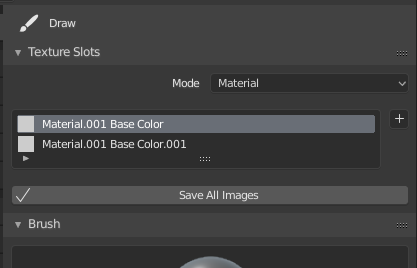
      Has any of you tried Texture painting in the new Blender 2.8 and if yes, were you able to delete texture slots?

      I just can’t find a way to delete the slot. No shortcut, no button…

      Please help! Thanks.

      #44817
      Jonathan Lampel
      Participant

        Frankly I have no idea. I thought deleting the node would do it, but I guess not. Seems like a good topic for: https://devtalk.blender.org/c/user-feedback

        #44818
        Pavel Mazanik
        Participant

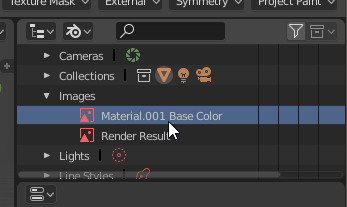
          Shift + Click on your image texture and it will set it users to 0. Restart blender to wipe out.

          Or just delete image file with outliner’s “blender file” display mode.

          Both methods will remove the texture slot.

          #44819
          harikirant
          Participant

            Thank you , its [shift click] working , and one more thing i need to mention here, actually those who did that[clearing texture slots] ,after restarting  the blender file ,you are gonna find your model turned into pink,no worries you can just double click the slot which you have , then it reload the paints

          Viewing 4 posts - 1 through 4 (of 4 total)
          • The topic ‘Blender 2.8 – How to delete a texture slot in Texture Paint mode?’ is closed to new replies.